


DID is the number your customers dial. DNIS is what your platform uses to route them correctly. Both are essential — and they work together on every inbound call.
Direct inward dialing (DID) and DNIS (Dialed Number Identification Service) are two closely related telephony concepts that work together to route every inbound call in an enterprise contact center. DID is the external phone number the caller dials. DNIS is the signal that carries those dialed digits to the contact center platform, telling it which routing logic to apply. Understanding the difference — and how each one is used in NiCE CXone — is essential for anyone designing or troubleshooting contact center call flows. Explore the full Direct Inward Dialing guide →
What Is DNIS?
DNIS stands for Dialed Number Identification Service. It is the mechanism by which a telephone carrier transmits the number that the caller actually dialed — the DID number — to the receiving system. In SIP-based contact centers, DNIS arrives as part of the SIP INVITE message in the To or Request-URI header field, typically containing the last 4–10 digits of the dialed DID number, depending on carrier configuration.
DNIS tells the contact center platform not just that a call arrived, but specifically which DID number was dialed — enabling different routing outcomes for different numbers even when they all arrive on the same SIP trunk.
| Feature | DID | DNIS |
|---|---|---|
| What it is | An external phone number callers dial | The digit string transmitted to the platform identifying which number was dialed |
| Provisioned by | Carrier or cloud telephony provider | Carrier, as part of call signaling |
| Used by | Callers and directory listings | Contact center routing scripts and IVR logic |
| Visible to the caller? | Yes — they dial it | No — it's a back-end signal |
| Format | Full E.164 telephone number | Last 4–10 digits of DID, carrier-dependent |
| Role in routing | Identifies the inbound number | Triggers routing logic in CXone scripts |
How DID and DNIS Work Together in NiCE CXone
Every inbound call in NiCE CXone begins with DID and is processed using DNIS. The sequence works like this:
Step 1 - Caller Dials DID Number
Customer dials your company's DID number — e.g., +1-800-555-0150. The call enters the PSTN and routes to your carrier.
Step 2 - Carrier Sends SIP INVITE
Your carrier routes the call to NiCE CXone via SIP trunk, embedding the DNIS digits (e.g., "0150") in the SIP INVITE's To header or Request-URI.
Step 3 - CXone Reads DNIS
NiCE CXone's inbound routing layer reads the DNIS digits from the SIP message. The platform identifies which routing script applies to "0150".
Step 4 - Routing Script Executes
The routing script for DNIS "0150" checks business hours, evaluates queue depth, applies priority rules, and selects the optimal agent or self-service path.
Step 5 - Call Routed to Destination
CXone delivers the call to the agent, queue, or IVR specified by the DNIS routing script. The caller reaches their intended destination.
DNIS for Call Attribution and Reporting
DNIS is the foundation of per-campaign, per-product, and per-channel call attribution in enterprise contact centers. Because each DID number carries a unique DNIS value, every call can be reported at the individual number level — enabling precise analytics that are impossible with a single company number.
Per-campaign
DNIS attribution gives operations teams call volume, handle time, and outcome data for every DID number independently
Routing audits
DNIS logs confirm that every call received the correct routing treatment — critical for compliance and quality assurance
A/B routing tests
Two DID numbers with different DNIS routing scripts can test routing strategies in parallel with clean attribution
IVR containment
DNIS-level IVR reporting shows which numbers achieve highest self-service containment — guiding IVR optimization
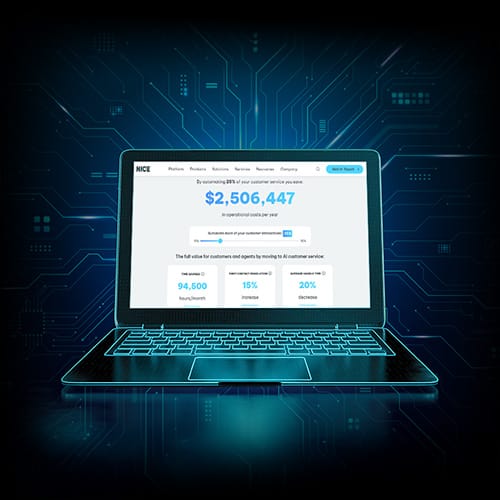
Discover the full value of AI in CX
Understand the benefits and cost savings you can achieve by embracing AI, from automation to augmentation.
Common DID and DNIS Configuration Issues
1. Missing DNIS on Inbound Calls
- Some carriers strip or truncate DNIS digits. Verify DNIS delivery with your carrier during testing and configure fallback routing in CXone for calls where DNIS is absent.
- Test with carrier before go-live
2. DNIS Length Mismatch
- Carriers deliver DNIS in different lengths (4, 7, or 10 digits). CXone routing scripts must be configured to match the exact DNIS format delivered by your carrier — mismatches cause routing failures.
- Confirm DNIS format with carrier
3. Unmapped DNIS Values
- If a new DID number is provisioned without a corresponding DNIS routing rule in CXone, calls to that number will reach the default route — potentially the wrong destination. Verify mapping before activating new numbers.
- Always validate new DID mapping
Related pages
FAQs

See Direct Inward Dialing in Action on NiCE CXone
NiCE CXone delivers enterprise-grade DID number management, intelligent call routing, and AI-powered contact distribution — all on a single unified platform trusted by over 8 million agents worldwide.