


From local and toll-free to international and virtual — every DID number type your contact center needs, provisioned and managed on NiCE CXone in minutes.
DID (direct inward dialing) numbers are the external phone numbers that connect customers directly to your contact center agents, queues, and services. In a modern cloud contact center, DID numbers come in several types — local, toll-free, international, virtual, and campaign-specific — each serving a distinct routing and business purpose. NiCE CXone provides enterprise-grade DID number provisioning and management across 190+ countries, with real-time routing configuration, no hardware dependencies, and centralized administration. Explore the full Direct Inward Dialing guide →
Types of DID Numbers
Choosing the right DID number type depends on your contact center's geographic coverage, brand positioning, customer demographics, and cost structure. Here is a detailed breakdown of every major DID number type used in enterprise contact centers.
Local DID — Local Numbers
Numbers with area codes tied to a specific city or region. Customers calling local numbers experience lower perceived friction and often higher answer rates. Best for region-specific support lines or branch office numbers.
Toll-Free DID — Toll-Free Numbers
800, 888, 877, 866, 855, and 844 numbers in North America. Cost of the call is borne by the enterprise, not the caller. Standard for national customer service operations and high-volume inbound lines.
International DID — International Numbers
Numbers with local country codes in non-domestic markets. Provide a local-looking caller experience for customers in EMEA, APAC, and LATAM markets. NiCE CXone supports 190+ country ranges.
Virtual DID — Virtual Numbers
Numbers with no physical location dependency, routed entirely over VoIP to any device or softphone. Ideal for remote agents, distributed teams, and cloud-first contact center architectures.
Campaign DID — Campaign Numbers
Numbers assigned to specific marketing campaigns, product lines, or A/B routing tests. DNIS reporting on these numbers provides per-campaign call attribution and performance data.
Vanity DID — Vanity Numbers
Custom toll-free numbers with memorable patterns (1-800-EXAMPLE). Reinforce brand identity and improve recall in consumer advertising. Routed identically to standard toll-free DID numbers.
Setting Up DID Numbers on NiCE CXone
In legacy telephony environments, adding a DID number required a carrier change order, PBX programming, and physical circuit verification — a process that could take days or weeks. On NiCE CXone, DID provisioning is a cloud-native administrative action completed in minutes.
DID Number Provisioning Workflow on NiCE CXone
1. Select Number
- Browse available inventory by type, country, area code, or range. Add to account.
2. Assign Routing
- Map DID to a routing destination: agent extension, queue, IVR flow, or campaign.
3. Set Rules
- Define business hours, overflow routing, recording rules, and priority settings.
4. Activate
- Number activates immediately. Changes propagate to all agent devices globally in real time.
DID Number Management at Enterprise Scale
Managing a large DID number inventory requires more than a list of numbers and their routing destinations. Enterprise contact centers need lifecycle management — from provisioning to routing changes to retirement — with documented ownership and audit trails.
1. Number Inventory Audit
- Maintain a real-time inventory of all active DID numbers, their routing destinations, assigned owners, and last-modified dates. NiCE CXone's admin console provides centralized visibility.
- Prevents orphaned numbers
2. Routing Change Management
- All routing changes to DID numbers should follow a documented change management process—ticket creation, approval, implementation, and verification—especially for customer-facing lines.
- Reduces routing errors
3. DNIS Reporting
- Each DID number carries DNIS digits that enable per-number call reporting. Track volume, handle time, abandonment, and outcome data at the individual DID level for precise attribution.
- Granular performance data
4. Number Porting
- When migrating to a new platform, existing DID numbers can be ported to NiCE CXone—preserving customer-facing contact information and avoiding the disruption of number changes.
- Zero customer disruption
5. Retirement Workflows
- DID numbers that are no longer needed should be formally decommissioned—routing removed, number released, and event documented. Unmanaged retired numbers can accumulate unexpected call traffic.
- Clean number inventory
6. Access Control
- Restrict DID provisioning and routing modification permissions to authorized administrators. Role-based access control in NiCE CXone prevents unauthorized number changes.
- Governance and compliance
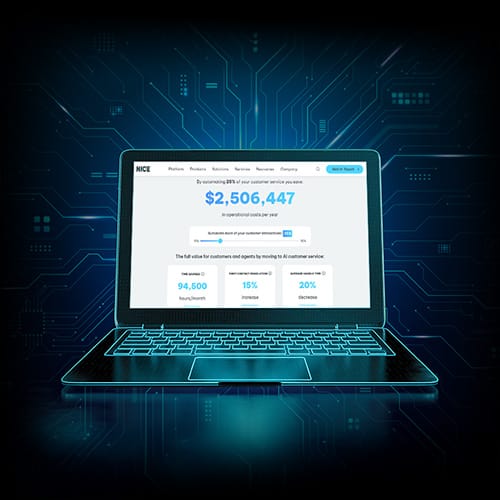
Discover the full value of AI in CX
Understand the benefits and cost savings you can achieve by embracing AI, from automation to augmentation.
DID Number Cost Structure
DID number costs vary by type, geography, and provider model. Cloud-based DID on NiCE CXone is typically structured as a monthly per-number fee plus usage charges, without the capital expense of on-premises PBX hardware.
Relative Cost by DID Number Type (2026)
Indicative cost index — actual pricing varies by provider, country, and volume.
| DID Number Type | Relative Cost |
|---|---|
| Local DID (US) | Low |
| Virtual DID | Low |
| Campaign DID | Low–Mid |
| Toll-Free (US) | Mid |
| International DID (EU) | Mid–High |
| Vanity Toll-Free | High |
| International DID (Emerging) | Variable |
Porting DID Numbers to NiCE CXone
Organizations migrating from a legacy PBX or a different cloud contact center platform can port their existing DID numbers to NiCE CXone. The porting process preserves existing customer-facing numbers, maintaining brand consistency and avoiding the operational disruption of number changes across marketing materials, CRM databases, and customer records.
- Audit existing DID inventory and identify numbers to port
- Complete a Letter of Authorization (LOA) for each number range with your current carrier
- Submit porting request to NiCE CXone's carrier management team
- Coordinate porting date — typically 2–4 weeks for domestic numbers, longer for international
- Configure routing rules in NiCE CXone before porting date
- Validate call delivery on porting day and confirm reporting accuracy
- Retire original carrier numbers after successful validation
Related pages
FAQs

See Direct Inward Dialing in Action on NiCE CXone
NiCE CXone delivers enterprise-grade DID number management, intelligent call routing, and AI-powered contact distribution — all on a single unified platform trusted by over 8 million agents worldwide.