

Intelligent Workflow Automation

On this page
- What Is Intelligent Workflow Automation?
- How Intelligent Workflow Automation Works
- Why Enterprises Adopt Automation
- Core Capabilities of Intelligent Automation
- Intelligent vs Robotic Process Automation
- Enterprise Automated Workflows
- AI-Driven Workflow Orchestration
- Integration With Enterprise Systems
- Governance and Control in Automation
- Security and Compliance in Automation
- Measuring the Impact of Automation
- Choosing an Automation Platform
- What Is Intelligent Workflow Automation?
- How Intelligent Workflow Automation Works
- Why Enterprises Adopt Automation
- Core Capabilities of Intelligent Automation
- Intelligent vs Robotic Process Automation
- Enterprise Automated Workflows
- AI-Driven Workflow Orchestration
- Integration With Enterprise Systems
- Governance and Control in Automation
- Security and Compliance in Automation
- Measuring the Impact of Automation
- Choosing an Automation Platform
What is intelligent workflow automation — and how does AI-driven orchestration of multi-step service processes that span systems, channels, and teams eliminate the manual handoffs and delays that slow resolution times for complex customer needs?
Intelligent workflow automation uses artificial intelligence to design, execute, and continuously optimize workflows across systems, teams, and processes. It goes beyond task automation by embedding decisioning, learning, and orchestration into workflows so they can adapt to context, data, and outcomes in real time. By leveraging business rules, intelligent workflow automation standardizes and automates processes, reducing the need for human input. It can also process unstructured data, such as emails or images, enabling automation of tasks that traditional systems cannot handle. Intelligent workflow automation transforms manual workflows into digital processes, reducing time consuming tasks and minimizing reliance on manual effort.
For enterprises operating across multiple departments, platforms, and geographies, intelligent workflow automation becomes the foundation for scalable efficiency, consistency, and operational resilience. The integration layer connects diverse tools through APIs and middleware, ensuring seamless operations across the entire workflow ecosystem.
What Is Intelligent Workflow Automation?
Intelligent workflow automation combines AI, machine learning, and orchestration technologies to automate end-to-end business workflows. Unlike traditional automation, which relies on rule-based, rigid systems suited for simple, repetitive tasks, intelligent workflow automation can interpret signals, make decisions, and dynamically adjust execution, offering greater flexibility and adaptability than traditional workflow tools that use fixed rules and predefined paths.
Intelligent workflow automation typically includes:
AI-driven decisioning within workflows
Automated orchestration across people, systems, and applications
Context-aware routing and prioritization
Continuous learning based on outcomes and performance
Human-in-the-loop controls for oversight and exception handling
Embedding business logic and intelligent automation to enable dynamic, context-aware workflows across multiple systems
Successful implementation of intelligent workflow automation requires careful planning, including mapping existing workflows to identify key components and bottlenecks, and defining automation objectives that align with broader business goals.
Understanding Manual Processes
Manual processes are the backbone of many business operations, involving a series of tasks that require human intervention to accomplish specific goals. These processes often include repetitive tasks such as data entry, approvals, and routine checks, which can be both time-consuming and susceptible to human error. As organizations grow, the reliance on manual processes can lead to increased operational costs and inefficiencies, making it difficult to scale and maintain consistent quality.
By thoroughly analyzing manual processes, businesses can identify which tasks are best suited for workflow automation or robotic process automation. This analysis helps uncover bottlenecks, redundant steps, and areas where human judgment is still essential. Understanding the nature of these manual processes is the first step toward effective process automation, enabling organizations to streamline operations, reduce manual effort, and focus human resources on higher-value activities.
How Intelligent Workflow Automation Works
Intelligent workflows act as an execution layer that connects data, systems, and actions.
A typical intelligent workflow lifecycle includes:
Ingesting signals from events, interactions, or system triggers
Applying AI models to assess intent, risk, urgency, or value
Determining the next best action based on policies and outcomes
Orchestrating tasks across applications, teams, and automation tools
Monitoring execution and optimizing future decisions
Collecting and analyzing process parameters and data sources to enable adaptive workflows
Process mining tools are used to visualize, discover, and optimize workflows based on the data collected throughout the process.
Performance metrics and performance analysis are essential for monitoring workflow efficiency, identifying issues, and refining automated processes to support strategic decision-making.
Data collection at every step of automated workflows enables organizations to identify inefficiencies and processes that are ripe for automation. Testing and optimizing workflows on a small scale before full deployment allows for real-world feedback and refinement without impacting business operations.
This creates workflows that evolve as business conditions change.
Why Enterprises Adopt Intelligent Workflow Automation
Manual and rules-based workflows struggle with scale, variability, and exceptions. Intelligent workflow automation addresses these challenges by introducing adaptability and intelligence.
Enterprises adopt intelligent workflow automation to:
Reduce manual effort and operational overhead
Improve speed, consistency, and reliability of execution
Handle complex exceptions without manual rework
Scale operations without adding process complexity
Enable continuous improvement across critical workflows
Automate routine tasks and administrative work, freeing up employee time for higher-impact activities
This shift increases job satisfaction by allowing employees to focus on more meaningful work, and enhances customer satisfaction through faster response times and higher quality service.
Intelligent workflow automation increases efficiency by cutting manual task time in half, reduces errors through standardized processes, and improves decision-making by enabling teams to spend more time analyzing data rather than collecting it. Organizations using intelligent workflows can achieve 30-50% faster cycle times and 20-40% lower operational costs.
This shifts workflows from static processes to adaptive systems that improve over time.
Core Capabilities of Intelligent Workflow Automation
Enterprise-grade intelligent workflow automation platforms provide a comprehensive set of capabilities designed for scale and complexity.
Core capabilities include:
AI-driven workflow orchestration across systems
Intelligent routing and prioritization of tasks
Automated decisioning and policy enforcement
Native integration with enterprise applications
Real-time monitoring, analytics, and optimization
Ability to seamlessly integrate with multiple systems and enabling systems for scalability
Defining business rules is essential for automating activities and ensuring workflow efficiency, as these rules determine how tasks are routed and handled within digital processes. Intelligent automated workflows and digital processes are outcomes of these core capabilities, leveraging real-time data and AI to continually adapt and optimize operations. Scalability is a top consideration, with enabling systems and seamless integration features allowing platforms to handle increased workloads as organizations grow.
These capabilities allow workflows to span departments, systems, and channels without breaking.
Intelligent Process Automation vs Robotic Process Automation
Traditional workflow automation relies on predefined rules and fixed execution paths. Intelligent workflow automation introduces AI to handle variability and change.
Key differences include:
Static rules versus AI-driven decisioning
Fixed process paths versus dynamic execution
Manual exception handling versus automated resolution
Limited visibility versus continuous optimization
Inability to manage complex processes versus the ability to integrate multiple business systems, embed business logic, and enable dynamic execution across departments
The most sophisticated workflow automation uses intelligent decision-making capabilities via AI and ML to address complex scenarios.
This makes intelligent workflow automation better suited for enterprise-scale operations.
Automated Business Workflows Across the Enterprise
Intelligent workflow automation can be applied across nearly every business function.
Common enterprise workflows include:
Customer service and support workflows
Contact center case management and escalation
IT service management and incident response
Finance approvals, billing, and compliance workflows
HR onboarding, offboarding, and employee lifecycle processes
Marketing campaigns, including automating campaign launches and performance analysis
Service delivery, ensuring consistent task handling and improved efficiency
Project managers use intelligent workflow automation to accomplish tasks such as compiling status reports without manual data entry, managing complex tasks, tracking project statuses, and coordinating resources. Automation enables project managers to gain real-time visibility into project performance and financial data, reducing administrative burdens and improving oversight.
In architecture and engineering firms, intelligent workflow automation has led to significant efficiency gains. Project managers have reduced time spent on administrative tasks by up to 66%. Automation allows for real-time visibility into project-level financial data, faster billing cycles (up to 50% faster invoicing), tracking budget consumption across project phases, improved consultant coordination across multiple disciplines, and phase-specific profitability analysis.
A single platform can support workflows across multiple teams and domains.
Document Processing and Management
Document processing and management play a pivotal role in supporting different business processes, from contract approvals to compliance documentation. Traditionally, these tasks involve significant manual effort, including data entry, document review, and routing for approvals, which can slow down operations and introduce errors.
With intelligent workflow automation, document processing becomes far more efficient. Automated workflows can handle document intake, route files to the appropriate stakeholders, and update business systems without manual intervention. This seamless data flow between systems reduces the risk of errors and ensures that documents are processed and stored in line with regulatory requirements. By integrating document processing with other business systems, organizations can eliminate repetitive manual tasks, accelerate turnaround times, and improve overall process accuracy.
AI-Driven Workflow Orchestration
AI-driven orchestration coordinates tasks across systems, applications, and teams in real time, leveraging natural language processing to interpret and act on unstructured data such as emails, images, and voice inputs. This expands automation possibilities beyond traditional rule-based systems.
Orchestration enables:
End-to-end automation across siloed environments
Parallel execution of tasks where appropriate
Real-time adjustments based on context and outcomes
Reduced bottlenecks, handoffs, and delays
Leveraging real time data and data analysis to monitor workflows, identify inefficiencies, and optimize processes as they happen
AI-powered orchestration can also predict and optimize future outcomes by analyzing historical data, recommending process improvements, and triggering approvals automatically. This ensures workflows move efficiently from initiation to completion.
Intelligent Workflow Automation in Customer Service
In customer service environments, intelligent workflows automate complex service journeys while maintaining quality and control.
Examples include:
Automated case intake, routing, and resolution
Use of business rules for automated case routing to ensure tasks are handled efficiently and correctly
Dynamic escalation based on sentiment, urgency, or risk
Coordination between virtual agents and human agents
Backend task automation across CRM, billing, and knowledge systems
Tracking progress and performance metrics, such as resolution time, ticket volume, and automation success rate, is essential for monitoring effectiveness and ensuring continuous improvement. This approach not only improves resolution speed and operational efficiency but also enhances customer satisfaction by delivering consistent, high-quality service experiences.
Intelligent Workflow Automation in Contact Centers
Contact centers use intelligent workflow automation to manage high volumes and complex interactions such as workforce management.
Key use cases include:
Orchestrating agent assistance and backend actions
Triggering follow-up tasks and updates automatically
Ensuring SLA adherence and compliance
Enhancing fraud detection and regulatory compliance by automating anti-fraud checks, KYC processes, and ensuring workflows meet legal requirements
Intelligent workflow automation in contact centers often orchestrates processes across multiple systems, such as CRM, ERP, and HRIS, and leverages diverse data sources like customer information and interaction histories to improve decision-making and anomaly detection.
A compliant intelligent automation platform aligns with regional and international standards and regulations, ensuring that automation efforts meet all necessary legal requirements.
This reduces agent workload while improving operational performance.
Integration With Enterprise Systems
Intelligent workflow automation depends on deep integration with enterprise systems.
Typical integrations include:
CRM and customer data platforms
ERP and financial systems
IT service management tools
Knowledge management systems
APIs, webhooks, and event-driven architectures
The ability to seamlessly integrate with enabling systems, supporting scalability, AI capabilities, and flexible operations
Process mining can be used to analyze and optimize these integrations by identifying inefficiencies and bottlenecks before automation is implemented.
When selecting an intelligent automation solution, prioritize options that minimize friction while providing essential services and comprehensive capabilities.
Integration ensures workflows operate directly within existing business environments.
Governance and Control in Intelligent Workflow Automation
As automation scales, governance becomes critical to maintain trust and accountability.
Enterprise platforms provide governance through:
Role-based access and permissions
Approval workflows and checkpoints
Policy enforcement and safeguards
Audit logs and reporting
Alignment with security and compliance requirements
Enforcing business rules and business logic to ensure workflows operate efficiently, correctly, and in line with organizational strategy
Regulatory compliance is a key aspect of governance, especially in industries like finance, where intelligent workflow automation helps ensure adherence to legal requirements such as anti-fraud measures and KYC regulations.
Successful implementation of intelligent workflow automation also requires deliberate change management, addressing both enthusiasm and apprehension among staff. Involving both technical teams and end-users in the automation planning process fosters collaboration and encourages feedback to continuously refine automation strategies.
Governed automation allows enterprises to scale without sacrificing control.
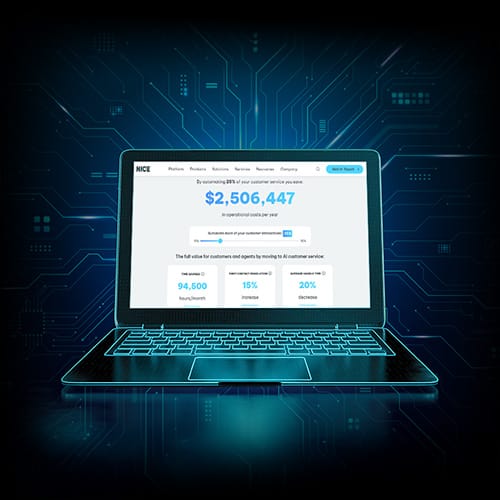
Discover the full value of AI in CX
Understand the benefits and cost savings you can achieve by embracing AI, from automation to augmentation.
Security and Compliance in Intelligent Workflow Automation
Ensuring security and compliance is essential when deploying automated workflows across business operations. Intelligent workflow automation must be designed to protect sensitive data at every stage, from data capture to storage and processing. This involves implementing robust security protocols, such as encryption, access controls, and continuous monitoring, to safeguard information and prevent unauthorized access.
Compliance with industry regulations—such as GDPR, HIPAA, or other standards—is also a critical consideration. Automated systems should be configured to enforce compliance policies, maintain detailed audit trails, and support regulatory reporting requirements. Leveraging predictive analytics within workflow automation can further enhance security by detecting anomalies and potential fraud in real time. By embedding security and compliance into every automated workflow, organizations can minimize risk, maintain customer trust, and ensure that all business processes meet legal and regulatory obligations.
Scalability and Cost Considerations
Scalability and cost efficiency are key factors in the successful adoption of intelligent workflow automation. As business needs evolve, automated workflows must be able to handle increased volumes, more complex workflows, and integration with existing systems without sacrificing performance. Selecting automation platforms with robust scalability and flexible integration capabilities ensures that automation efforts can grow alongside the organization.
Cost considerations extend beyond the initial investment in automation technology. Ongoing expenses such as maintenance, updates, and customization must be factored into the total cost of ownership. By leveraging artificial intelligence and machine learning, businesses can optimize workflow automation to reduce operational costs, improve resource allocation, and drive greater operational efficiency. Careful planning and evaluation of both scalability and cost help organizations maximize the return on their automation investments and support sustainable business growth.
Real-Time Visibility and Monitoring
Real-time visibility and monitoring are vital for maximizing the impact of workflow automation. By continuously tracking the performance of automated workflows, organizations gain immediate insights into process efficiency, bottlenecks, and potential issues. This enables proactive management, allowing teams to quickly address problems, optimize workflows, and minimize downtime.
Monitoring key performance indicators (KPIs) in real time supports data-driven decisions and helps measure the effectiveness of automation efforts. Access to up-to-date customer data and process metrics also empowers businesses to adapt quickly to changing demands and improve customer experience. With real-time visibility, organizations can ensure that their workflow automation initiatives deliver consistent value, drive continuous improvement, and align with strategic business objectives.
Measuring the Impact of Intelligent Workflow Automation
Success should be measured using a combination of operational, financial, experience-based, and performance metrics.
Common metrics include:
Cycle time and throughput improvements
Cost savings and productivity gains
Error reduction and rework elimination
SLA compliance and service quality metrics
Adoption and usage across teams
Performance metrics to monitor efficiency, compliance, and cost savings
Tracking progress through key performance indicators (KPIs) and real-time visibility tools
Leveraging real time data and performance analysis enables organizations to continuously monitor automated workflows, assess trends, identify issues, and make effective, data-driven decisions. Regular measurement and iteration are essential to ensure that intelligent workflow automation remains aligned with strategic business goals and delivers sustained business value.
Intelligent Workflow Automation and the Future of Operations
As AI becomes more autonomous, intelligent workflows will evolve from guided automation to self-directing execution.
Future capabilities include:
Predictive task execution and planning
Cross-functional workflow intelligence
Human and AI collaboration at enterprise scale
Enabling systems supporting autonomous workflows, allowing for scalable and flexible adaptation as operations expand
AI-powered predictive analytics will use historical data to forecast and optimize future outcomes, improving resource allocation and identifying potential bottlenecks within workflow automation systems.
By 2026, 30% of enterprises will automate more than half of their network activities, a significant increase from under 10% in mid-2023.
Intelligent workflow automation is a foundational capability for AI-driven operations.
Choosing an Intelligent Workflow Automation Platform
Selecting the right platform requires balancing flexibility, control, and scalability.
Organizations should evaluate:
Depth of AI, orchestration, and automation capabilities
Ease of workflow design and extensibility
Integration with existing enterprise systems
Governance, security, and compliance support
Ability to scale across use cases and departments
The right platform supports both immediate efficiency gains and long-term transformation.
Explore AI Automation Platform Topics
Learn more about AI contact center platform topics.
Frequently Asked Questions (FAQs)

Ready to experience the power of one platform?
Let us show you how NiCE can unify, automate and elevate your entire customer experience - with AI at the core and outcomes at the forefront.