

AI Agent Tracing for Transparent Agent Behavior

Last updated: November 20, 2026
AI agent tracing records the execution path of an agent session so teams can reconstruct what happened step by step. A trace can include model calls, retrieved context, tool calls, workflow steps, subagent handoffs, latency, errors, and outcomes, giving teams evidence to diagnose behavior that simple logs or transcripts cannot explain.
What is AI agent tracing?
AI agent tracing is the capture and reconstruction of an agent's execution path across the systems it touches. Unlike a transcript, which shows only the visible conversation, a trace can show the hidden operational sequence: retrieve knowledge, call a model, invoke a tool, pass work to a subagent, validate a result, retry a failed step, or escalate to a person.
This makes tracing one of the most important diagnostic layers in agent observability. When an agent behaves unexpectedly, teams need to see the path that led to the outcome rather than infer it from the final answer alone.
What belongs in an AI agent trace?
A trace can include session and request identifiers, timestamps, model calls, prompt or policy versions, retrieval events, knowledge sources, tool calls, inputs and outputs, subagent handoffs, workflow nodes, errors, retries, latency, and final outcome. The specific fields should reflect the architecture and the level of access appropriate for each team.
Good traces preserve relationships between steps. That makes it possible to understand which retrieval result influenced a tool call, which subagent produced an intermediate result, or where latency accumulated.
Tracing vs. logs and transcripts
Logs capture individual events. Transcripts capture the customer-visible exchange. Traces connect events into an execution path. All three can be useful, but traces provide the structure needed to follow a distributed agent workflow from start to finish.
For multi-agent systems, this relationship becomes even more important because one customer interaction may involve several specialized agents, tools, models, and data sources.
Common AI agent tracing use cases
Tracing can identify why an agent chose the wrong tool, why a retrieval step returned weak context, where a workflow looped, why a subagent handoff failed, which dependency caused latency, or why a session ended in escalation. It can also help compare behavior before and after a change.
In quality and compliance investigations, traces provide evidence of the path taken by the agent, helping reviewers distinguish a bad final answer from a deeper execution or policy problem.
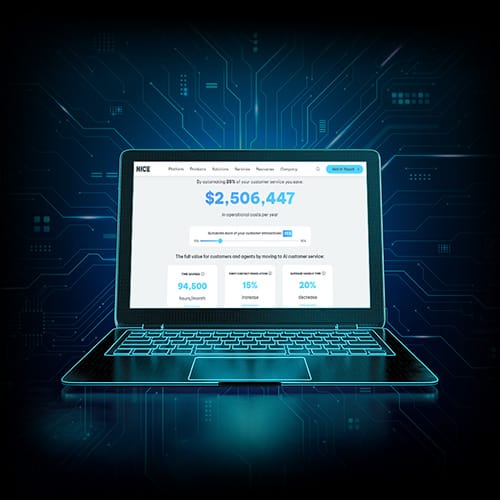
Discover the full value of AI in CX
Understand the benefits and cost savings you can achieve by embracing AI, from automation to augmentation.
Tracing customer-service AI agents
Customer-service traces should connect the customer intent to the knowledge and actions used to resolve it. If a customer asks to change an appointment, the trace should make it possible to see how the intent was interpreted, which systems were queried, which action was attempted, whether the action succeeded, and why the session completed or escalated.
That level of visibility helps operations and technical teams collaborate around a shared record of what happened.
Next step
Trace the full execution path so teams can move from “the agent failed” to a precise explanation of where and why.
Explore the AI Agent Observability pillar
Frequently asked questions

Ready to experience the power of one platform?
Let us show you how NiCE can unify, automate and elevate your entire customer experience - with AI at the core and outcomes at the forefront.