

AI Agent Session Replay for Faster Diagnosis and Optimization

Last updated: November 20, 2026
AI agent session replay lets teams reconstruct a completed agent interaction so they can inspect what the customer asked, how the agent responded, which tools or skills were called, what errors occurred, and how the session ended. It turns production interactions into evidence for troubleshooting, quality review, training, and optimization.
What is AI agent session replay?
AI agent session replay is the ability to revisit a completed agent interaction in a structured, chronological view. Instead of relying only on a chat transcript, teams can inspect the events that shaped the session, including intents, actions, tool calls, errors, handoffs, and the final outcome.
Replay is particularly useful when a problem cannot be reproduced easily. Production agents operate with real customers, real data, and changing dependencies. A recorded session gives teams the evidence needed to understand what actually happened.
Session replay vs. conversation transcript
A transcript shows what the customer and agent said. Session replay should provide additional operational context: when actions occurred, which tools were called, whether a call succeeded, which workflow path was followed, where latency occurred, and how the session terminated.
For complex agentic workflows, the visible conversation may represent only a small portion of the actual execution. Replay helps expose the rest.
What should an AI agent replay include?
Useful replay data can include timestamps, customer and agent messages, inferred intent, session state, tool or skill calls, inputs and outputs, retrieval events, subagent handoffs, errors, retries, latency, policy events, and completion status. Filters should help teams find sessions by intent, channel, outcome, version, error type, or time period.
The experience should also connect to traces and analytics. A user investigating a trend should be able to open representative sessions, while a user reviewing a session should be able to understand whether it is isolated or part of a larger pattern.
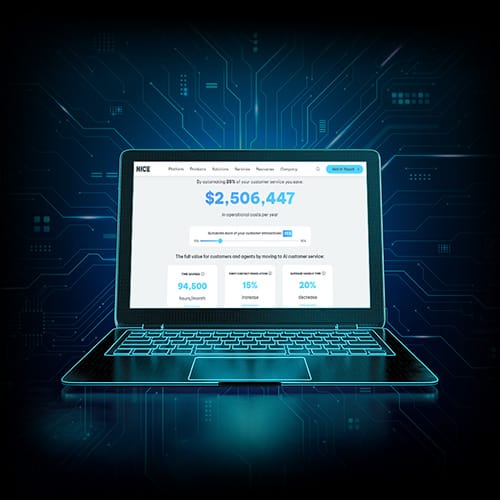
Discover the full value of AI in CX
Understand the benefits and cost savings you can achieve by embracing AI, from automation to augmentation.
Session replay for quality and training
Quality teams can use replay to review whether an agent handled an interaction appropriately, followed policy, used the right tools, and escalated at the right time. AI trainers can use real production sessions to identify recurring weaknesses and decide whether to improve knowledge, prompts, workflows, tools, or guardrails.
Replay also supports post-change validation. After an update, teams can inspect real interactions to confirm that the expected behavior changed without introducing new problems.
Privacy, access, and retention
Session histories can contain personal information, account data, tool inputs, and operational details. Access should be role-based, retention should match business and regulatory requirements, and sensitive fields should be masked or restricted where appropriate.
Teams should also decide which internal execution details are appropriate for each audience. Supervisors may need outcome and workflow visibility, while developers may require deeper trace data.
Next step
Turn real production sessions into a repeatable source of evidence for troubleshooting, quality, and continuous improvement.
Explore the AI Agent Observability pillar
Frequently asked questions

Ready to experience the power of one platform?
Let us show you how NiCE can unify, automate and elevate your entire customer experience - with AI at the core and outcomes at the forefront.