
You hired agents to talk to customers. Then you asked them to spend a large part of their time of every shift typing about it. AI has already taken over the easy parts of contact center work: routing, self-service, quick answers to simple questions. Yet one of the most manual, repetitive, capacity-draining jobs in the building still gets done by hand, after the customer is already gone. After-call work is where AI earns its place first, and it’s the easiest place to start.
Many agent interactions ends the same way. The customer hangs up, and the agent writes it down: what happened, what got resolved, what needs to happen next. That documentation step rarely shows up in a product demo or a quarterly business review, but it quietly decides two things leaders care about most: how much volume your agents can handle, and how reliable the record those agents leave behind actually is. Get it right, and agents handle more volume without burning out. Get it wrong, and a meaningful share of every shift goes to typing instead of talking to customers.
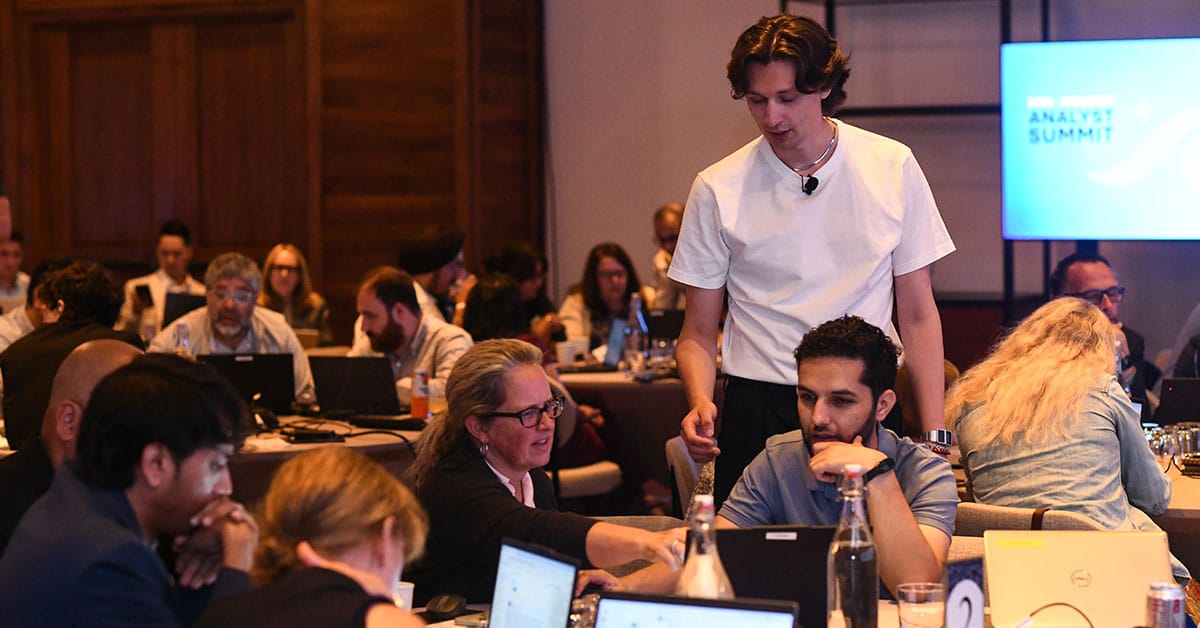
That is the case I made when I hosted a live webinar for NiCE called Start Simple, Scale AI: How Automated Summary Opens the Door to Agent Productivity. The premise was simple. Copilot Automated Summary, built into CXone, is one of the most approachable ways to put AI to work in a contact center, and it is designed to show ROI quickly without disrupting how agents already do their jobs. What follows is the thinking behind that session, backed by what I have seen work across more than 100 clients running this in production today.
The documentation tax nobody budgets for
Agents are expected to write notes after almost every interaction, across a wide range of industries and situations, and that work takes real time. I think of it as a pattern I call ABAB. The agent listens, then types. Then listens again, then types again, right in the middle of the call. The alternative is worse in a different way: waiting until the call ends and reconstructing the conversation from memory, which almost always costs consistency. Humans are good at a lot of things. Perfectly recalling a 5-minute conversation, in the right format, every single time, is not one of them.
This is exactly why after-call work is one of the strongest entry points for AI. It checks every box that makes a pilot safe to run. A person still reviews what the AI produces before it goes anywhere, so nothing reaches a customer record unsupervised. It does not change how agents already work, since the summary builds in the background. It already lives inside CXone, so there is no new platform to evaluate or stand up. And configuration takes a fraction of the time most AI initiatives require, without needing a dedicated implementation team.
What Automated Summary actually does
Automated Summary is not a single feature so much as three capabilities working together.
Real-time sentiment analysis
The tool listens to the conversation as it happens and tracks how the customer is doing, so an agent can see a call heading in the wrong direction before it fully gets there.
A live interaction summary
A running account of the conversation that agents, and any supervisor who needs to step in, can glance at mid-call instead of trying to reconstruct where things stand.
Post-interaction summary
The note that is ready the moment the call ends, standardized instead of written from scratch in whatever format a given agent happens to use that day.
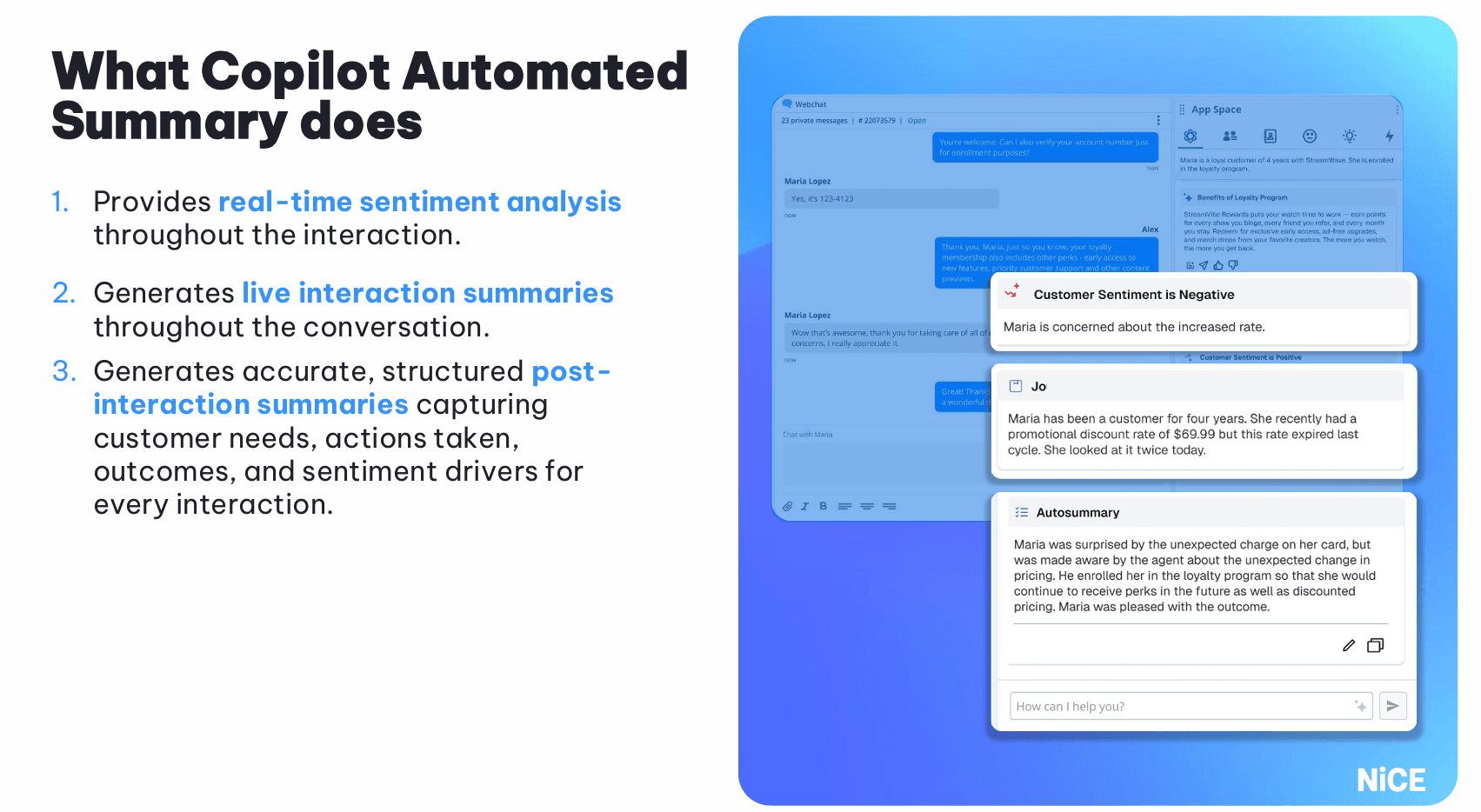
In the demo I ran during the webinar, I played a recorded call, a customer confused about a notice from their bank, and watched the sentiment read move from negative to positive as the conversation resolved. By the time the call ended, the summary was already written and waiting. From the configuration screen, tone and length can be adjusted in seconds, with the result showing up in the test output instantly.
The proof: minutes back, per call, every call
Across financial services, healthcare, retail, and travel, the pattern holds: less time on documentation and a more consistent record.
- Maps Credit Union: Michelle Seymour, AVP of Contact Center and e-Services, said agents in their Loss Prevention department were taking two to three minutes to manually log notes after each call. Since implementing Automated Summary, that has dropped to about 20 to 30 seconds.
- Bluecrest, a UK health intelligence company, went live with Automated Summary on day one on CXone. Average after-call work fell from 3.5 minutes to under 2.5 within the first two weeks.
- Across my broader client pool, I’ve seen average handle time reductions in the range of 50 to 70 percent. That’s what I’ve observed, not a guarantee.

The question I get asked most is how much time you’ll actually save. The honest answer is it ultimately depends on what your agents were doing before Automated Summary. An agent who was jotting a few words after each call will not see much change. An agent who was already writing a paragraph or more, which is common, tends to see the bigger gains, because now they are reviewing and adjusting instead of composing from a blank screen.
Keeping AI accountable without slowing it down
CIOs and compliance-minded leaders need to be able to trust the authenticity of an automated summary and prove that trust at scale.
Teams can require specific fields before a summary is submitted, and every summary is tracked for whether an agent made no edits, minor edits, or major edits before submitting it. That data feeds directly into existing analytics, so leaders can see patterns at the team level, not only the individual call. Sentiment prompting can be tuned per business unit as well. A mortgage team dealing with words like “default” or “bankruptcy” needs a different baseline than a retail team fielding product questions, and the right AI can better manage industry specific terms.
Low risk is managed through configuration and visibility. Some teams choose to reduce or remove the review step once they have enough data to trust the output for their specific use case, and that is a deliberate choice a team earns the right to make, not a default setting.
From first win to full agent assist
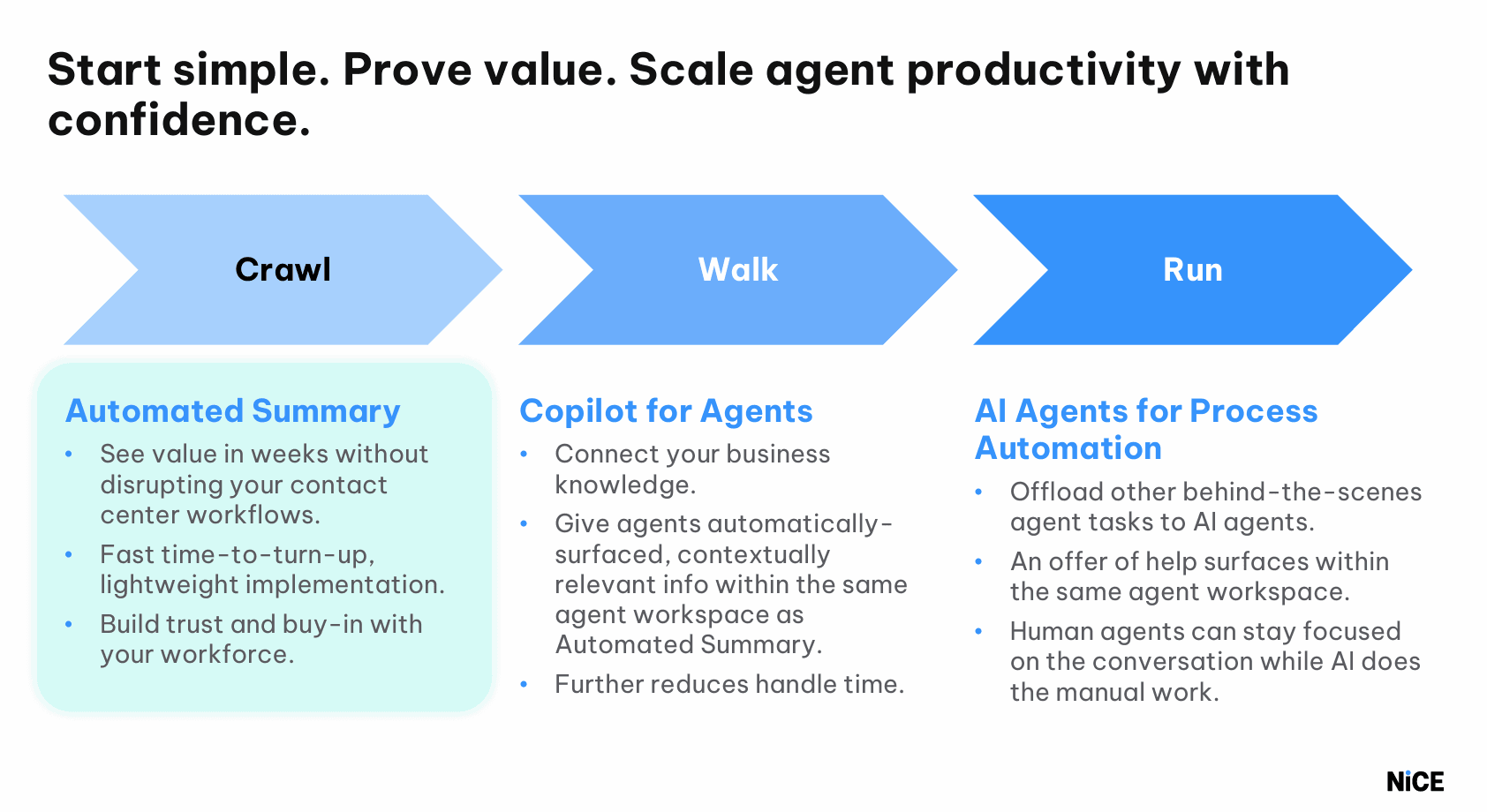
Automated Summary is usually just the first step, not the finish line. Once a team has a working pilot, most of my clients expand into a broader set of agent assist capabilities, things like pulling up relevant knowledge articles mid-call, or carrying context forward automatically when a conversation transfers between agents. The model I recommend is the same one I used in the webinar: start with a small group, what I like to call a Tiger team, prove the value there, and scale once the data backs it up.
Better summaries make it easier to spot what is working, and that insight makes the next round of summaries better still.